
Projects often start with clear objectives but become harder to control once tasks, dependencies, meetings, files, deadlines and team responsibilities begin to multiply. Managers may know the final delivery date without having a reliable view of which activities are delayed, who owns the next action or whether one late task will affect several others.
The challenge is not simply creating more task lists. Effective project management requires a structure that connects scope, milestones, responsibilities, deadlines, dependencies, workload and progress reporting.
Zoho Projects helps teams plan projects, assign tasks, organise milestones, manage dependencies, track time, monitor workloads and report on delivery progress. Its value comes from giving teams one structured environment for planning and execution instead of managing delivery through disconnected spreadsheets, emails and status meetings.
What is Zoho Projects?
Zoho Projects is a cloud project management platform designed to organise projects from planning through execution and reporting.
Teams can structure work using milestones, task lists, tasks and subtasks, then assign ownership, deadlines and priorities. Depending on edition and configuration, Zoho Projects also provides Gantt charts, task dependencies, workload views, time tracking, dashboards, reports and additional project controls.
Task Ownership
Assign work to specific team members so every activity has a clear owner rather than remaining in a shared list.
Milestones
Group project work around important delivery points so managers can monitor progress against meaningful outcomes.
Dependencies
Connect related tasks so teams understand which activities must be completed before others can begin or finish.
Project Reporting
Use dashboards and reports to review progress, overdue work, workload, time and other project indicators.
Why do projects become difficult to control?
Project delays rarely appear as one major failure at the beginning. They often develop through several smaller issues that remain hidden until the deadline approaches.
- Tasks do not have clear owners.
- Deadlines exist without task dependencies.
- Teams update status in different spreadsheets.
- Managers rely on meetings to discover progress.
- One employee becomes overloaded while another has capacity.
- Milestones are defined but not connected to actual work.
- Time spent on delivery is not recorded consistently.
- Project risks are identified too late.
A project management system should help reveal these problems earlier, while the team still has time to adjust the plan.
How should a project be structured in Zoho Projects?
A good project structure moves from the overall outcome into manageable units of work. Zoho Projects supports milestones, task lists, tasks and subtasks, allowing teams to create a work breakdown that reflects how delivery actually happens.
Do not create hundreds of tasks simply because the system allows it. Build enough detail to make ownership, dependencies and progress visible without turning project administration into a second project. The right level of detail depends on delivery risk, team size and reporting requirements.
How do milestones improve project visibility?
A milestone represents an important point in project delivery. It may represent completion of discovery, approval of a design, completion of testing or the start of production.
Milestones are useful because executives and project sponsors usually need a higher level view than individual tasks. A project manager may monitor 80 tasks, while leadership may only need to know whether five critical milestones are on track.
Each milestone should have a clear outcome. Terms such as “Phase Two” are less useful than a milestone that explains what will actually be completed or approved.
How should task ownership be defined?
Every important task should have one clear owner responsible for progressing it. Several people may contribute, but unclear ownership creates a common project problem where everybody assumes somebody else will act.
Ownership should also be matched with realistic workload. Assigning every urgent task to the strongest employee may solve today’s problem while creating next week’s delay.
How do task dependencies prevent project delays?
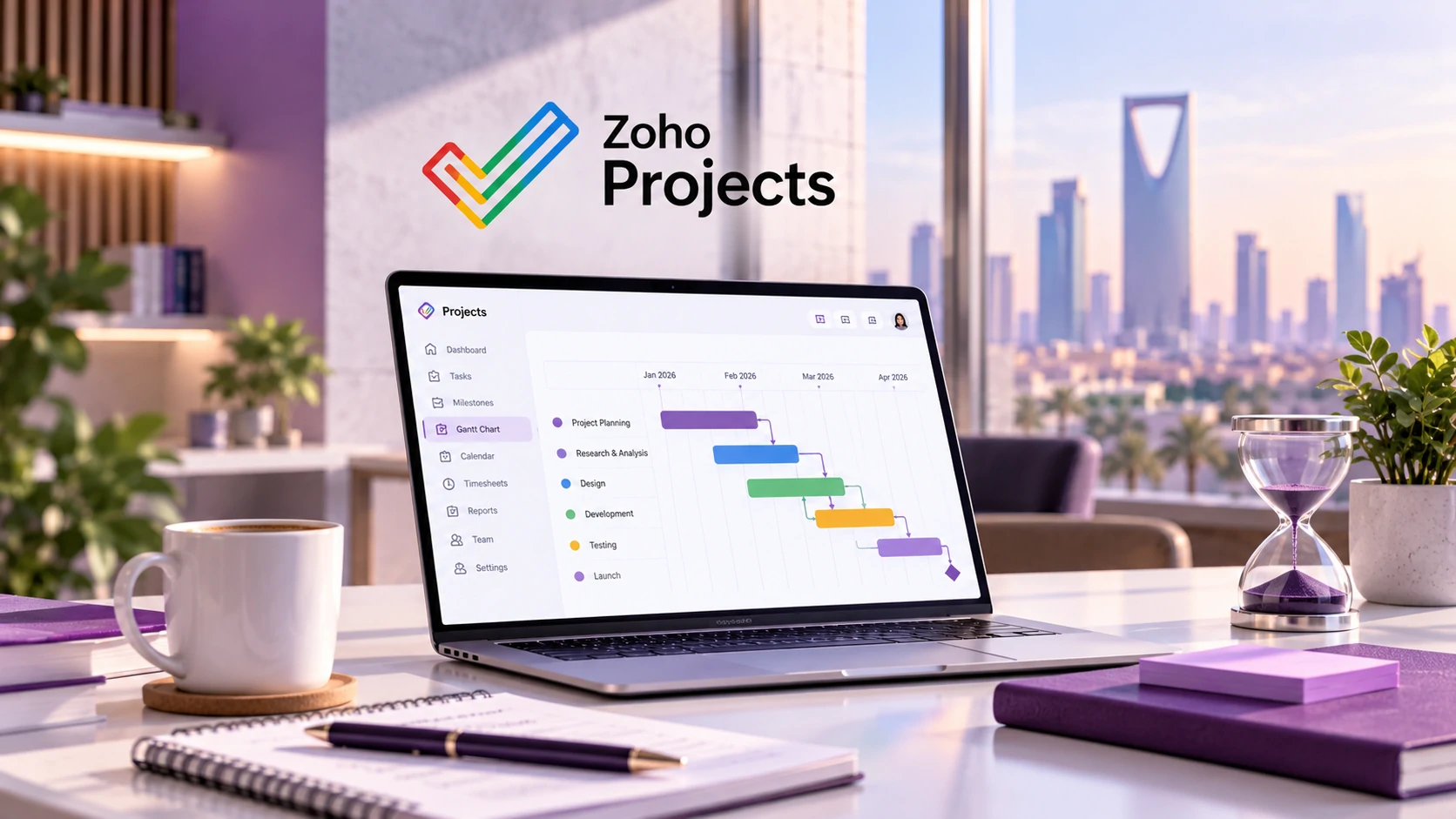
Dependencies show the relationship between tasks that need to happen in a particular sequence. For example, development may depend on an approved design, testing may depend on development completion, and launch may depend on testing approval.
Zoho Projects supports different dependency relationships within Gantt planning, helping teams understand how moving one task may affect another.
Dependencies are most useful when a delay in one task can change the timing of another. They help project managers identify schedule risk before teams discover the problem manually during a status meeting.
What is the role of the Gantt chart?
A Gantt chart provides a visual timeline of project activities. In Zoho Projects, teams can use Gantt views to understand schedules, dependencies, critical tasks and progress over time.
This becomes especially useful in projects with several teams. A marketing team may be waiting for content, a development team may be waiting for approved specifications and a finance team may need the final scope before preparing billing.
The Gantt chart should support decision making rather than become a presentation that nobody updates. Dates and dependencies must remain connected to the work actually being performed.
How should team workload be managed?
Project schedules can look realistic while individual workloads are impossible. A plan that assigns 60 hours of work to one person in a 40 hour week is already at risk, even if every task has a deadline.
Zoho Projects includes workload and resource visibility that can help managers identify employees who are overloaded or have available capacity, depending on the organisation’s configuration.
Review Capacity
Compare planned work against the realistic availability of each team member.
Protect Critical Skills
Avoid assigning every high priority activity to the same specialist.
Reassign Early
Move work before delays become unavoidable rather than after deadlines are missed.
Consider Dependencies
Changing an owner or date may affect other activities connected to the task.
How does time tracking support project delivery?
Time tracking allows organisations to compare planned effort with the actual time used to complete work. Zoho Projects supports timesheets and timers for recording task related effort.
This can help service organisations understand project effort, support billing where relevant and improve future estimates.
Time tracking should remain simple enough for users to adopt consistently. If employees need several minutes to decide where every small activity belongs, the organisation may create inaccurate timesheets because users delay or avoid entering time.
What should project managers report?
| Project Metric | Question It Answers | Management Action |
|---|---|---|
| Milestone Status | Are major delivery points on schedule? | Escalate important delays early. |
| Overdue Tasks | Which activities have passed their deadlines? | Review ownership and blockers. |
| Critical Tasks | Which tasks could affect the overall schedule? | Prioritise management attention. |
| Workload | Which employees are overloaded or underused? | Rebalance assignments. |
| Planned vs Actual Time | Are estimates matching delivery reality? | Improve future planning. |
| Project Progress | How much work has actually been completed? | Compare status with expected progress. |
Common project management mistakes
Too Many Tasks
Breaking every activity into excessive detail makes the system harder to maintain and reduces user adoption.
No Dependencies
Deadlines without relationships between tasks can hide the real effect of schedule changes.
Unrealistic Workloads
A schedule is not achievable simply because every task fits on a calendar.
Status Without Evidence
Projects marked “on track” should be supported by actual task, milestone and delivery information.
How can Zoho Projects reduce status meetings?
Status meetings are useful when they support decisions, remove blockers or coordinate complex work. They become inefficient when the meeting exists only because project information is unavailable anywhere else.
A properly maintained Zoho Projects environment can give managers access to project status, overdue tasks, milestones, time records and workload information before the meeting begins.
This allows the conversation to focus on exceptions and decisions rather than asking each employee to describe everything completed during the week.
How does Zoho Projects connect with other business processes?
Project work rarely exists on its own. A project may begin after a sales opportunity closes, require support activity during delivery and eventually create billable work.
Zoho CRM can support the sales process before delivery, while Zoho Desk can support structured customer service after or during project work where appropriate.
Organisations should design integrations around actual responsibilities and data ownership instead of connecting applications simply because an integration is available.
Related Tech Wave blogs
Build Smarter Customer Support with Zoho Desk
Explore how ownership, workflows, escalation and reporting create more consistent service operations.
Build a Better Sales Pipeline with Zoho CRM
See how structured sales ownership and pipeline stages can connect with the work that begins after a deal is won.
Explore more technology and automation guidance in the Tech Wave blog.
What should businesses prepare before implementing Zoho Projects?
- Define standard project stages.
- Identify milestones used across similar projects.
- Document project roles and ownership.
- Agree on task status definitions.
- Identify where dependencies matter.
- Review workload and resource planning requirements.
- Decide whether time tracking is required.
- Define which dashboards managers need.
- Create reusable templates for recurring project types.
- Choose a pilot project before organisation wide rollout.
A relevant Tech Wave case study
IT Pillars and structured digital delivery
The IT Pillars case study demonstrates Tech Wave’s broader experience in delivering structured digital work for a technology organisation with multiple products, audiences and operational requirements.
This case study is not presented as a Zoho Projects implementation. Its relevance is the wider principle of coordinating multiple deliverables, responsibilities and digital workstreams within a controlled delivery process.
How can Tech Wave support Zoho Projects implementation?
Tech Wave can support organisations with project process discovery, solution consultation, project templates, milestone structures, task statuses, roles, dependencies, workload planning, dashboards, reports, time tracking and Zoho Projects implementation.
Ongoing support can help teams refine templates, reports and project workflows after real delivery data becomes available.
Frequently Asked Questions
What is Zoho Projects?
Zoho Projects is a cloud project management platform for organising milestones, tasks, dependencies, timelines, collaboration, time tracking and project reporting.
Does Zoho Projects include Gantt charts?
Yes. Zoho Projects provides Gantt functionality for visualising project schedules, dependencies, critical activities and progress.
Can Zoho Projects manage task dependencies?
Yes. Supported editions allow teams to define relationships between tasks so the order and impact of project activities are clearer.
Can teams track time in Zoho Projects?
Yes. Zoho Projects supports timesheets and timers for recording work against tasks and project activity.
Can Zoho Projects show team workload?
Yes. Workload and resource views can help managers understand availability and rebalance assignments where supported.
Is Zoho Projects only for IT teams?
No. It can support different project based teams when the templates, roles, task structure and reporting are configured around their delivery model.
Build more predictable project delivery
A project management platform cannot replace clear scope, realistic planning and accountable ownership. It can, however, make those disciplines easier to maintain by connecting tasks, milestones, deadlines, dependencies, workload and reporting in one environment.
Zoho Projects gives teams a structured way to understand what needs to happen next, who is responsible and where delivery risk is developing before a missed deadline becomes the first warning.
Improve Project Delivery
Build clearer project workflows with Zoho Projects and Tech Wave.
Talk to Tech Wave