
A sales pipeline usually becomes unreliable long before a company notices a revenue problem. Leads sit untouched, opportunities remain in the wrong stage, follow-up depends on individual memory, and managers struggle to understand which deals are genuinely progressing.
The problem is rarely the absence of a CRM alone. More often, the sales process itself has not been clearly defined. A CRM can organise and automate that process, but it cannot decide what a qualified lead means, when a deal should move forward, or who is responsible for the next action unless the business defines those rules first.
What makes a sales pipeline effective?
An effective sales pipeline gives sales representatives and managers a consistent view of how an opportunity moves from initial interest to a commercial decision. Each stage should represent a meaningful milestone, not simply another status field.
A strong pipeline should make it clear:
- What must happen before a deal enters each stage
- Who owns the opportunity
- What the next required action is
- How long deals normally remain at each stage
- Which opportunities need management attention
- Why opportunities are lost
- Which deals are realistic enough to include in forecasting
Zoho CRM provides lead and deal management, multiple sales pipelines, workflow automation, reporting, forecasting, activities and process controls that can support a structured sales model. The platform becomes most useful when it reflects the organisation’s actual sales process rather than an artificial set of stages created only because the software requires them.
Why do sales pipelines become inaccurate?
Pipeline quality depends on the quality of the process and the data behind it. If sales representatives interpret stages differently, management sees a distorted view of opportunities.
For example, imagine a B2B company with 15 sales representatives. One salesperson moves a deal to Proposal immediately after sending a quotation. Another waits until the customer confirms commercial interest. A third leaves opportunities in Qualification until a purchase order is almost certain.
All three representatives may be doing legitimate sales work, but their pipeline data is no longer comparable.
This creates problems for forecasting, coaching and resource allocation because the stage name no longer has one consistent meaning.
Define your sales stages before configuring Zoho CRM
Before building the CRM pipeline, document the milestones that actually matter in your sales process.
A B2B technology company might use a structure such as:
- New opportunity: A potential sales opportunity has been identified.
- Qualified: The organisation has confirmed a relevant need, basic fit and meaningful buying potential.
- Discovery: Requirements, stakeholders, timeline and business problem are being understood.
- Solution proposed: An appropriate commercial or technical proposal has been presented.
- Negotiation: Commercial, legal or procurement discussions are active.
- Decision: The opportunity has reached the customer’s decision stage.
- Closed won or lost: The final commercial outcome is recorded.
Another business may require fewer or different stages. The correct structure depends on how customers actually buy.
Tech Wave implementation recommendation: define an entry condition and an exit condition for every stage. If salespeople cannot explain what must be true before a deal moves forward, the stage is probably too vague.
A practical Zoho CRM sales pipeline workflow
A structured sales process can be represented inside Zoho CRM using the following workflow:
- Capture the lead: Record the prospect from the appropriate lead source.
- Qualify: Confirm whether the lead matches the organisation’s sales criteria.
- Assign ownership: Route the lead or deal to the appropriate salesperson or team.
- Complete discovery: Record requirements, stakeholders, priorities and relevant commercial context.
- Create the opportunity: Convert qualified demand into a deal with a defined value, stage and expected close date where appropriate.
- Schedule the next action: Every active opportunity should have a clear follow-up activity.
- Advance based on evidence: Move the deal only when the milestone for the next stage has been reached.
- Automate routine follow-up: Use workflows for predictable notifications, assignments and repetitive actions.
- Review ageing: Identify deals that remain in one stage longer than expected.
- Close accurately: Record the final outcome and, where useful, the reason a deal was lost.
Should every lead become a deal?
No. Converting every enquiry into an opportunity makes the pipeline look larger while reducing its usefulness.
A visitor who downloads content, a student requesting information and a company actively discussing a purchase should not automatically receive the same sales status.
Organisations should define qualification criteria that reflect their business model. Criteria might include business need, company fit, decision authority, commercial potential, timeline or another relevant indicator.
| Lead Situation | Recommended Action | Reason |
|---|---|---|
| Relevant company with confirmed requirement | Qualify and progress | There is evidence of a genuine opportunity |
| Good fit but no current buying project | Nurture | The relationship may have future value without inflating the active pipeline |
| Duplicate or invalid enquiry | Clean or disqualify | It should not distort sales reporting |
| Existing customer with support request | Route appropriately | The requirement may belong in service rather than the sales pipeline |
How can Zoho CRM automation improve pipeline discipline?
Zoho CRM workflows can execute actions when defined conditions are met. Common uses include assigning records, creating tasks, sending notifications, updating fields and scheduling follow-up actions.
Automation is particularly useful for tasks that salespeople should perform consistently but do not need to decide manually every time.
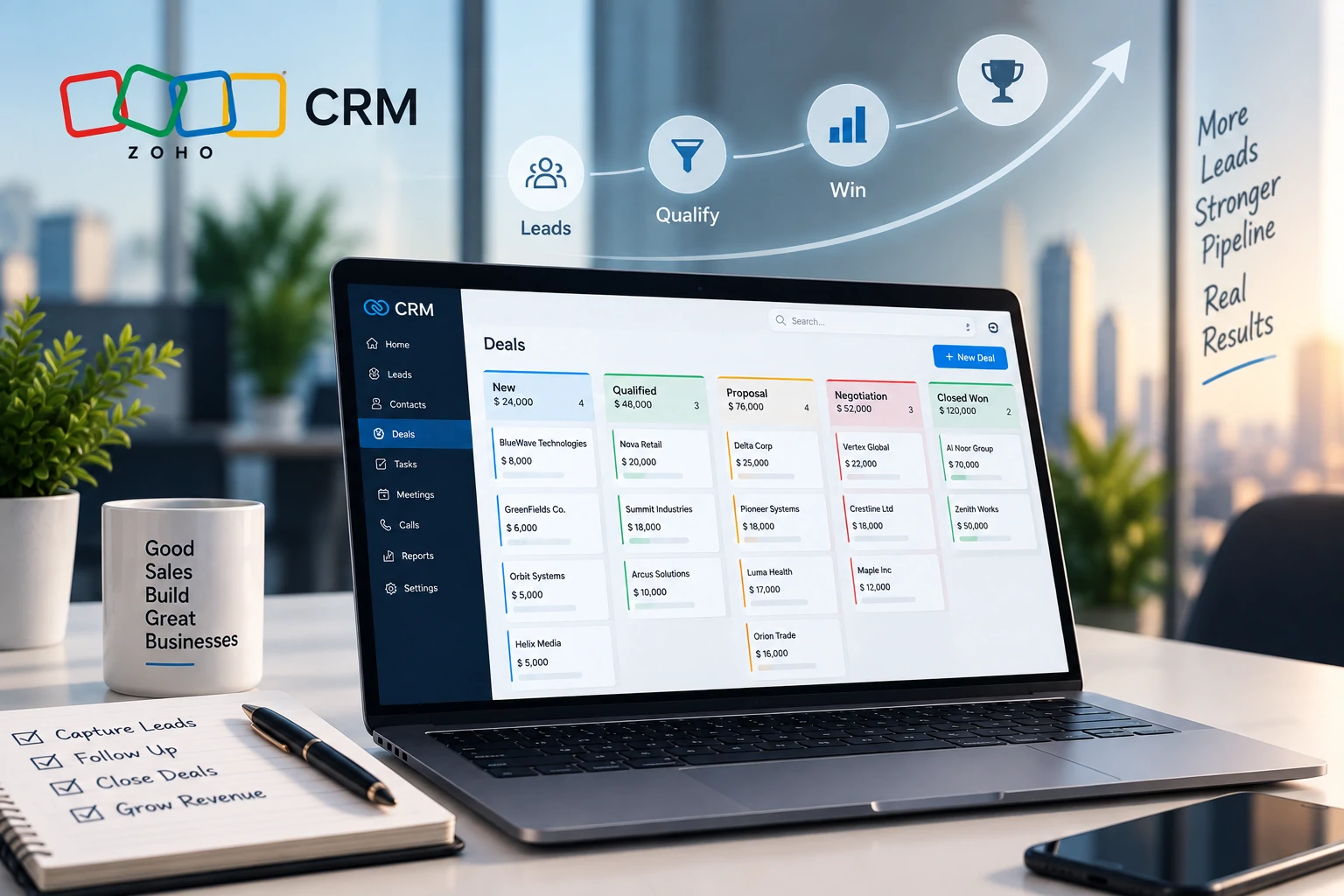
For example, when a qualified deal enters the Proposal stage, Zoho CRM could create a follow-up task for the deal owner after a defined period. If a high value lead enters the CRM, a workflow could route it to an appropriate team according to the organisation’s assignment logic.
Automation should support the sales process, not replace sales judgement.
How should sales teams use pipeline automation?
The strongest automation starts with repetitive tasks rather than complex decision making.
Useful automation candidates may include:
- Lead assignment based on territory, product or other defined criteria
- Follow-up task creation
- Internal notifications for high value opportunities
- Stage related reminders
- Selected field updates
- Escalation when important opportunities receive no activity
More sensitive decisions, such as whether a complex enterprise opportunity is genuinely qualified or whether a proposal should receive a commercial exception, may still require human judgement.
Does moving deals faster always mean a healthier pipeline?
No. Pipeline speed matters, but moving opportunities forward without evidence can make the pipeline less accurate.
A sales representative may move a deal from Discovery to Proposal because a quotation was prepared. The customer, however, may still be evaluating whether the project will proceed at all.
In that situation, the pipeline suggests greater buying intent than actually exists.
Managers should therefore review both movement and stage quality. Faster movement is useful only when the customer has genuinely reached the next milestone.
What sales pipeline metrics should managers monitor?
Pipeline reporting should support decisions rather than provide dozens of charts that nobody uses.
Useful metrics can include:
- Number and value of active opportunities
- Deal value by pipeline stage
- Stage conversion rates
- Average time spent in each stage
- Opportunities without a scheduled next activity
- Deals that have remained unchanged for an unusual period
- Win and loss patterns
- Performance by sales team, territory or product where relevant
- Expected revenue and forecast categories
Zoho CRM provides dashboards, reports and forecasting capabilities that can help sales leaders build this visibility. The correct dashboard should focus on actions. If a manager sees that many opportunities remain in Discovery for too long, the next question should be why and what intervention is required.
Common sales pipeline mistakes to avoid
Creating too many stages
Every stage should represent a meaningful change in the sales process. Excessive stages make data entry harder without necessarily improving visibility.
Allowing representatives to define stages differently
A stage should have one agreed meaning across the sales team. Otherwise forecasting and conversion reporting become unreliable.
Keeping dead opportunities open
A large pipeline is not necessarily a healthy pipeline. Opportunities with no realistic path forward should be reviewed, closed or moved to an appropriate nurture process.
Automating an undefined process
If lead assignment, qualification and follow-up rules are unclear, automation will reproduce the inconsistency.
Leaving deals without a next action
An active opportunity should normally have a defined next step. A pipeline full of deals without scheduled activity often indicates that CRM records are not reflecting real sales work.
Ignoring lost deal information
Loss reasons can help management understand recurring commercial problems, but only when they are defined clearly and recorded consistently.
How does Zoho SalesIQ support the pipeline?
The sales pipeline often begins before a lead enters the CRM. Website visitors may explore pricing, product pages, service information or other high intent content before submitting an enquiry.
Zoho SalesIQ focuses on website visitor engagement, live chat and lead capture. Where an organisation uses Zoho CRM and SalesIQ together, relevant visitor and engagement signals can support faster follow-up and provide sales representatives with additional context around prospect activity.
This becomes particularly useful when website behaviour is an important source of buying intent.
When does Zoho Campaigns become relevant?
Not every lead is ready for direct sales follow-up. Some prospects need continued marketing communication before a commercial conversation becomes appropriate.
Zoho Campaigns becomes relevant when organisations need email campaign and audience engagement capabilities around the CRM process.
Instead of leaving early stage contacts inside the active sales pipeline indefinitely, businesses can separate active opportunities from longer term nurture audiences and use the appropriate process for each.
Where does Zoho Desk fit after the sale?
A CRM should not become the default system for every customer request after a deal closes.
When the requirement moves from selling to structured customer support, Zoho Desk addresses ticket management, service workflows and customer support operations.
This separation helps organisations maintain a clearer customer lifecycle: Zoho CRM manages sales relationships and opportunities, while Zoho Desk can manage structured service requests after the customer requires support.
What should businesses define before implementing Zoho CRM?
Before CRM configuration begins, organisations should agree on the sales process they want the technology to support.
Important decisions include:
- What qualifies a lead
- When a lead becomes a deal
- Which pipeline stages are required
- What moves a deal from one stage to another
- Who owns incoming leads
- How leads are assigned
- Which fields sales representatives must complete
- Which activities should be automated
- What dashboards managers actually need
- How lost opportunities should be classified
- Which existing customer or prospect data must be migrated
Tech Wave recommends piloting the CRM with one representative sales process before attempting to automate every team and product line. A controlled pilot makes it easier to identify unnecessary fields, unclear stage definitions and automation rules that do not match the way representatives actually sell.
A relevant Tech Wave case study
The Yaquoti case study provides useful context around lead generation and digital customer acquisition. Tech Wave designed and developed the digital presence for Yaquoti with clear feature communication, conversion paths and lead generation considerations built into the website experience.
The project was not a Zoho CRM implementation, so it should not be presented as evidence of a CRM deployment. Its relevance is earlier in the customer journey: a strong website can generate and educate prospects, while CRM processes are responsible for helping sales teams capture, qualify, follow up and manage suitable opportunities after interest is created.
Additional examples of Tech Wave’s work are available in the Tech Wave case study library.
How can Tech Wave support Zoho CRM implementation?
Tech Wave can support organisations with sales process discovery, CRM consultation, pipeline design, data field planning, lead assignment rules, workflow design, dashboard requirements, Zoho CRM implementation, data migration planning, testing, sales team training and ongoing support.
The implementation should begin with the commercial process rather than the software screens. Once lead qualification, ownership, deal stages, follow-up expectations and reporting requirements are agreed, Zoho CRM can be configured around a sales model that the team can actually use consistently.
Frequently Asked Questions
What is a sales pipeline in Zoho CRM?
A sales pipeline represents the stages an opportunity moves through during the sales process. Zoho CRM allows organisations to configure deal stages, track opportunities and monitor their progress through the pipeline.
Can Zoho CRM support multiple sales pipelines?
Yes. Zoho CRM supports multiple pipelines, which can be useful when different business units, products or sales motions follow genuinely different processes.
Can Zoho CRM automate sales follow-up?
Yes. Workflow rules can automate defined actions such as task creation, notifications, field updates and other supported activities when configured conditions are met.
Should every lead be converted into a deal?
No. Leads should normally be qualified according to the organisation’s criteria before they become active opportunities. Otherwise, weak enquiries can inflate pipeline reporting.
What is the difference between Zoho CRM and Zoho SalesIQ?
Zoho CRM manages leads, contacts, deals and sales processes. Zoho SalesIQ focuses on website visitor engagement, live communication and lead capture. They address different stages of the customer acquisition process.
What is the difference between Zoho CRM and Zoho Desk?
Zoho CRM primarily supports sales and customer relationship processes, while Zoho Desk is designed around customer support, ticketing and service workflows.
What should be configured first in Zoho CRM?
Start with lead qualification, ownership rules, pipeline stages, required sales information and reporting requirements before building extensive automation.
Build a pipeline your sales team can trust
A better sales pipeline is not created by adding more stages or more automation. It comes from defining how opportunities should move, making ownership clear, recording meaningful customer progress and giving representatives a consistent next action.
Contact Tech Wave to discuss how Zoho CRM can be configured around your lead qualification, sales stages, workflow automation, reporting and pipeline management requirements.