
Microsoft 365 environments often become harder to administer as the number of users, licences, groups, mailboxes, Teams workspaces and cloud services increases. What begins as straightforward user administration can gradually turn into repeated manual tasks, fragmented reporting and limited visibility into changes taking place across the environment.
The challenge is not simply managing more accounts. IT teams also need to understand who has access, which licences are being used, what administrative changes have occurred, whether important services are healthy and which activities deserve investigation.
What does effective Microsoft 365 management require?
Effective Microsoft 365 management combines administration, reporting, auditing, monitoring and controlled delegation. The objective is to give IT teams clear operational visibility while reducing repetitive administration and maintaining appropriate governance.
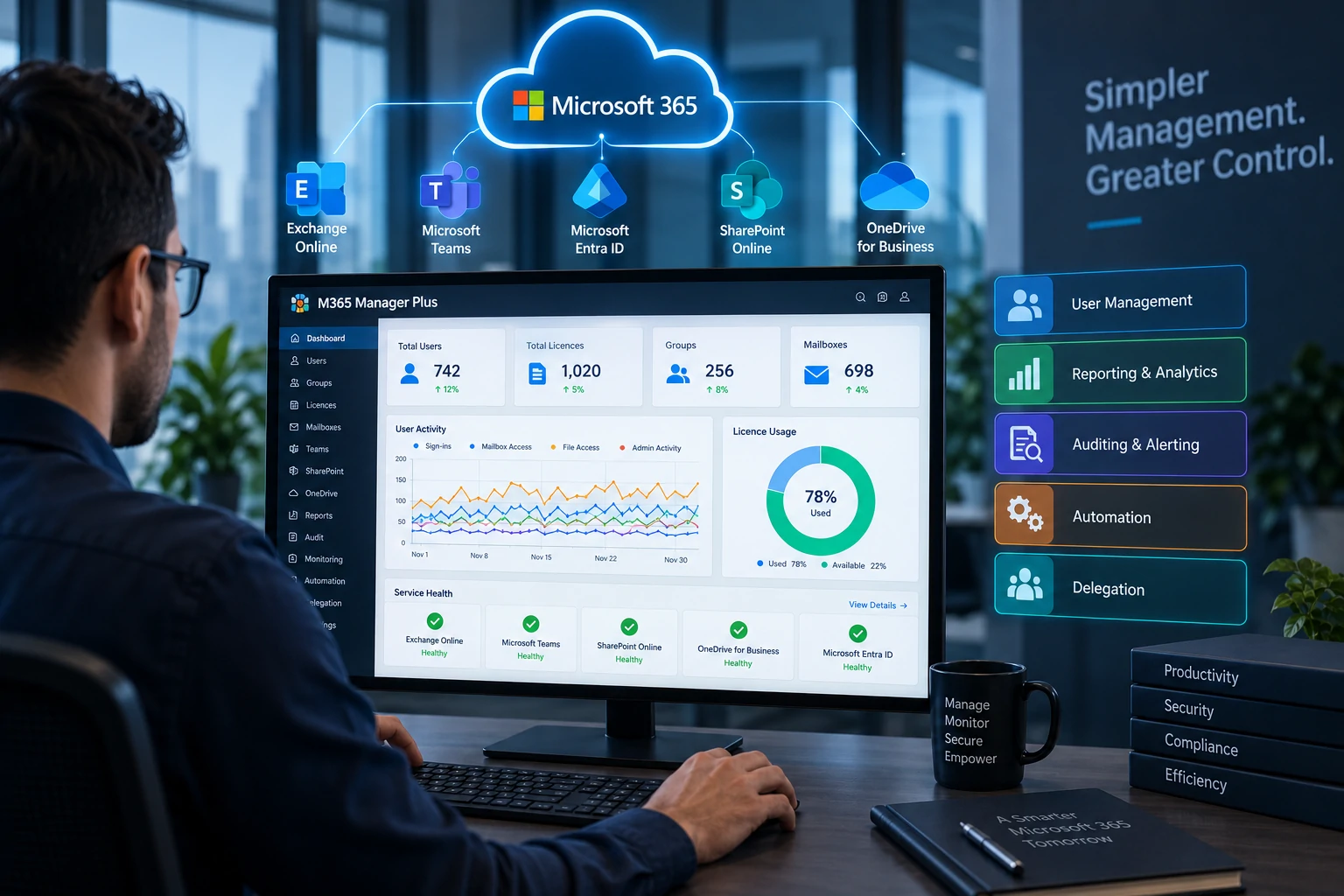
ManageEngine M365 Manager Plus provides a central console for managing and reporting across Microsoft 365 services including Microsoft Entra ID, Exchange Online, Microsoft Teams, SharePoint Online and OneDrive for Business. It also includes auditing, alerting, monitoring, automation and delegated administration capabilities.
The value comes from applying these capabilities to defined administrative processes rather than simply generating more reports.
Why does native Microsoft 365 administration become difficult at scale?
Different Microsoft 365 services generate different operational questions. A service desk technician may need to reset a user password. An administrator may need to understand licence allocation. A security team may investigate an administrator role change. Management may need visibility into inactive accounts or service availability.
When these activities are handled through several portals, scripts and manually prepared reports, administrators spend more time moving between data sources and less time resolving the underlying issue.
Consider an organisation with 700 users across several departments. During one week, HR requests 20 new accounts, finance employees need licence adjustments, several employees leave the organisation, and the IT team needs to investigate unexpected mailbox permission changes.
Each task is manageable individually. The operational difficulty appears when these requests become continuous and several administrators handle them differently.
A practical Microsoft 365 administration workflow
A structured Microsoft 365 management process can follow these stages:
- Review: Identify users, groups, mailboxes, licences and services currently in scope.
- Standardise: Define naming rules, licence policies, administrative ownership and common management actions.
- Delegate: Assign restricted administrative responsibilities to appropriate technicians.
- Automate: Automate repetitive tasks that follow predictable rules.
- Audit: Track important administrative and user activities.
- Alert: Notify the responsible team when selected high value events occur.
- Monitor: Review Microsoft 365 service health and operational conditions.
- Report: Deliver useful reports to IT, security and management stakeholders.
- Review exceptions: Investigate inactive accounts, failed actions, unusual changes and licensing issues.
Tech Wave implementation recommendation: do not begin by automating every Microsoft 365 task. Start by documenting the five or ten administrative actions your IT team performs most frequently. Standardise those processes first, then decide which activities are suitable for automation and which still need review.
Which Microsoft 365 tasks are strong candidates for automation?
Automation works best when a task has clear inputs, predictable decisions and a defined result.
| Administrative Task | Automation Potential | What Should Be Defined First? |
|---|---|---|
| Standard user onboarding | High | Required account attributes, licences and ownership |
| Inactive account cleanup | High with validation | Definition of inactivity and exception policy |
| Routine licence assignment | High | Role based licence rules and available capacity |
| Sensitive administrator role changes | Lower | Approval, ownership and audit requirements |
| Mailbox permission changes | Depends on risk | Business owner and access justification |
M365 Manager Plus includes automation for recurring Microsoft 365 management activities such as user lifecycle tasks, licence administration and other supported management actions. Automation should reduce repetitive work without removing necessary governance.
Does more automation always mean better Microsoft 365 management?
No. Automating an unclear administrative process usually creates faster inconsistency rather than better management.
For example, automatically assigning the same licence package to every new employee may be convenient, but it can result in unnecessary allocation when job roles have different requirements.
A better approach is to define licence rules according to role or department, decide who approves exceptions and then automate the predictable portion of the process.
Why are Microsoft 365 reports useful only when they support decisions?
A large report library is not valuable simply because many reports exist. The important question is which reports support actual administrative decisions.
An IT manager may need inactive user reports to support account reviews. A service desk may need licence information during onboarding. A security team may need visibility into role changes, mailbox activity or unusual user actions.
M365 Manager Plus provides extensive preconfigured reporting across users, groups, licences, mailboxes and Microsoft 365 services. Organisations should identify a smaller set of operational reports that answer recurring questions instead of distributing large volumes of reports that nobody reviews.
How does auditing improve Microsoft 365 visibility?
Administration tells IT teams what the current environment looks like. Auditing helps explain how it reached that state.
If a mailbox permission changes, a user receives an administrator role or important configuration is modified, the security and IT teams may need to know who performed the action and when it happened.
M365 Manager Plus provides Microsoft 365 auditing and alerting capabilities for supported administrative and user activities. This helps organisations investigate changes without relying entirely on manual searches through separate Microsoft 365 interfaces.
Auditing should focus on events that have operational or security value. Generating alerts for every routine action can create noise and reduce the visibility of genuinely important changes.
What should organisations monitor?
Microsoft 365 monitoring should answer whether important services and cloud components are operating as expected and whether administrators need to respond to service conditions.
M365 Manager Plus includes monitoring for Microsoft 365 services such as Exchange Online, Microsoft Teams and Microsoft Entra ID, alongside service health visibility and alerting.
Tech Wave recommends assigning ownership to every important monitoring alert before production rollout. If a Microsoft 365 service alert is generated but nobody knows whether the service desk, infrastructure team or cloud administrator should respond, the alert adds information without improving operations.
How should help desk delegation be designed?
Delegation can reduce dependency on highly privileged Microsoft 365 administrators by allowing technicians to perform selected administrative activities through restricted roles.
For example, a service desk technician may need permission to perform approved user management actions without receiving unrestricted administrative access across the tenant.
M365 Manager Plus supports role based help desk delegation. The principle should be simple: give technicians the minimum set of actions required for their responsibilities and keep sensitive administrative capabilities restricted.
Common Microsoft 365 management mistakes
Using global administrator privileges for routine tasks
Broad administrative privileges should not become the default solution for every operational requirement. Delegated roles are more appropriate where technicians only need selected capabilities.
Ignoring inactive accounts
Accounts that are no longer actively used should be reviewed. The organisation should understand whether the account belongs to a former employee, temporary user, service requirement or valid exception.
Assigning licences without regular review
Licence allocation should reflect current roles and actual organisational requirements. Employee transfers and departures can leave licences assigned when they are no longer needed.
Creating too many alerts
Alerting should focus on events that require investigation or operational action. Excessive alerts can make important events easier to overlook.
Generating reports without owners
Every recurring report should support a defined decision. If nobody reviews the information or acts on it, scheduled delivery creates administrative noise rather than useful visibility.
Automating offboarding without defining the trigger
Automation still requires clear ownership. IT teams should know which approved HR or management event authorises account deactivation or access changes.
When does ADManager Plus become relevant?
Microsoft 365 administration often overlaps with identity lifecycle management, particularly in organisations that also operate Active Directory.
ManageEngine ADManager Plus becomes relevant when the organisation needs broader Active Directory user provisioning, group management, lifecycle automation, delegation and Microsoft 365 administration as part of a wider identity management process.
M365 Manager Plus is more focused on Microsoft 365 reporting, administration, auditing, monitoring and alerting. ADManager Plus addresses broader Active Directory lifecycle management requirements.
The correct choice depends on the problem being solved rather than which platform contains more features.
When is Recovery Manager Plus relevant?
Management and auditing do not replace backup and recovery.
If the business requirement includes protecting and restoring Microsoft 365 or identity related data after deletion, unwanted changes or other recovery scenarios, ManageEngine Recovery Manager Plus addresses a different requirement focused on backup and recovery.
Separating management from recovery responsibilities is important. Knowing that a change occurred does not automatically provide the ability to restore the affected information.
What should organisations define before implementing M365 Manager Plus?
Before deployment, organisations should identify which Microsoft 365 services are in scope, which administrative tasks consume the most time, what reports stakeholders actually require, which activities need alerting and which responsibilities can safely be delegated.
A useful pilot may begin with one IT support team and a limited set of activities such as user reporting, licence reviews, selected management actions and audit alerts.
After the organisation confirms that technician roles, reports and alerts are working as expected, it can introduce additional services and automation policies.
A relevant Tech Wave technology case study
Organisations assessing Tech Wave as an enterprise technology partner can review the IT Pillars case study. IT Pillars operates in the enterprise technology solutions sector, making the case study relevant context for Tech Wave’s experience working with technology focused organisations.
The case study should not be interpreted as evidence of an M365 Manager Plus deployment. Microsoft 365 management projects require their own assessment of tenant structure, user administration, delegation requirements, security policies and reporting needs. Additional examples of Tech Wave’s work are available through the Tech Wave case studies.
How can Tech Wave support M365 Manager Plus implementation?
Tech Wave can support organisations with Microsoft 365 administration assessment, requirements mapping, solution consultation, implementation, delegated role design, reporting configuration, audit policies, alert planning, automation design, testing, administrator training and ongoing technical support.
The implementation should be built around operational questions. Which user tasks should be automated? Which administrators need delegated access? Which changes require investigation? Which reports support licence, security or management decisions? Answering these questions first makes the technical configuration more useful.
For organisations evaluating other ManageEngine capabilities, Tech Wave’s ManageEngine IT management guide provides broader context across identity, security, endpoint and infrastructure management.
Frequently Asked Questions
What is M365 Manager Plus?
M365 Manager Plus is a ManageEngine platform for Microsoft 365 administration, reporting, auditing, monitoring, alerting, automation and delegated management across supported Microsoft 365 services.
Which Microsoft 365 services can M365 Manager Plus manage or report on?
M365 Manager Plus supports major Microsoft 365 services including Microsoft Entra ID, Exchange Online, Microsoft Teams, SharePoint Online and OneDrive for Business, with capabilities varying by service and feature.
Can M365 Manager Plus automate Microsoft 365 administration?
Yes. It supports automation for recurring management activities such as selected user lifecycle, licence and mailbox related tasks where the organisation has defined appropriate policies.
Can help desk technicians use M365 Manager Plus without becoming global administrators?
M365 Manager Plus includes role based delegation that can provide technicians with restricted administrative responsibilities rather than unrestricted tenant wide permissions.
What is the difference between M365 Manager Plus and ADManager Plus?
M365 Manager Plus focuses on Microsoft 365 administration, reporting, auditing and monitoring. ADManager Plus addresses broader Active Directory and identity lifecycle administration while also supporting Microsoft 365 management scenarios.
Does M365 Manager Plus replace Microsoft 365 backup?
No. Administration and auditing are different from backup and recovery. Organisations requiring dedicated recovery capabilities should evaluate an appropriate backup solution such as Recovery Manager Plus according to their requirements.
Make Microsoft 365 administration easier to govern
Effective Microsoft 365 administration depends on knowing what should be automated, what should be delegated, what needs monitoring and which changes deserve investigation. Centralising those processes can give IT teams clearer operational control without removing necessary oversight.
Contact Tech Wave to discuss how M365 Manager Plus can support Microsoft 365 administration, delegated help desk roles, reporting, auditing, alerting and automation across your cloud environment.